

4 Ways the Linx 9000 Series Reduces Production Downtime
In busy production environments, coding and marking should not be the thing that slows the line down. But when a printer needs unexpected attention – whether because of a blocked printhead, a power interruption, a slow product changeover, or a coding error – the impact can quickly move beyond the printer itself.
Lost production time can mean delayed orders, extra operator intervention, rework, wasted product and pressure on already stretched production teams.
That’s why the Linx 9000 Series has been designed around a simple purpose: making printing one less thing to worry about.
Built from customer feedback, the range is enhanced with features to help maximise uptime, simplify coding and ensure reliable performance on the production line.
Here are four ways the Linx 9000 Series can help reduce printer-related disruption and keep production moving.
1. Preventing unplanned downtime
One of the biggest causes of lost production time is unexpected printer stoppages. If ink builds up on the printhead, or if the printer cannot restart properly after a power interruption, the line may need to stop while the issue is resolved.
The Linx 9000 Series includes several features designed to help prevent these problems before they affect production.
AutoFlush: Built-in automatic printhead care
The Linx 9000 Series incorporates the Linx AutoFlush cleaning routine which automatically cleans the printhead nozzle and gutter line every time the printer starts up or shuts down, removing ink residue before it can dry and cause blockages. Unlike other printheads, AutoFlush carefully balances the pressure transition from solvent to ink, eliminating the risk of ink splashes that can lead to ink build-up.
This unique cleaning routine prevents blocked nozzles or ink build-up on the printhead, one of the major causes of unplanned downtime.
- No daily manual printhead cleaning
- Reduced risk of nozzle blockages and ink build-up
- Consistent, reliable startups
- Increased uptime with less operator intervention
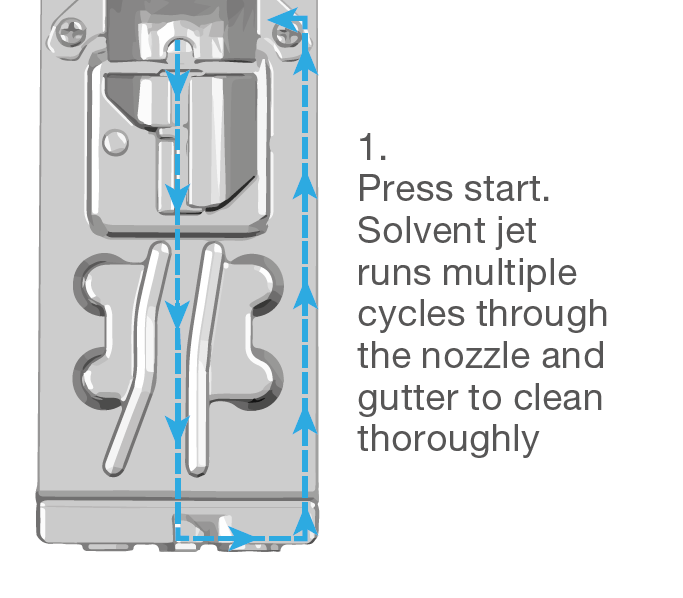
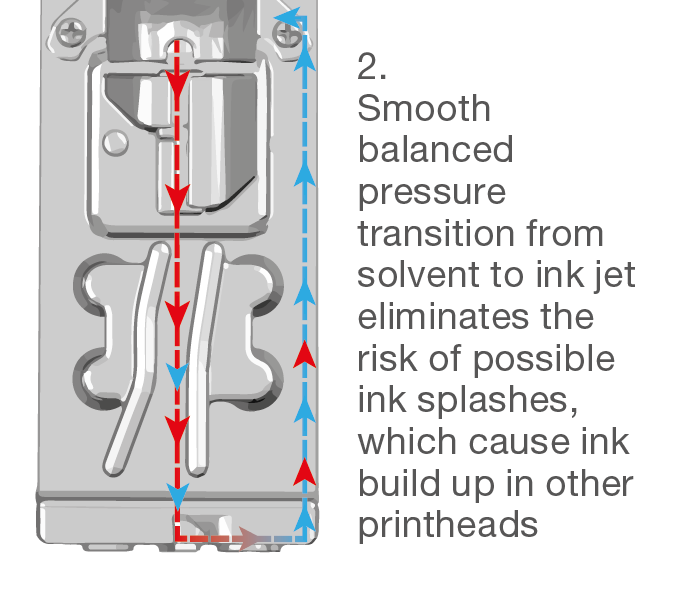
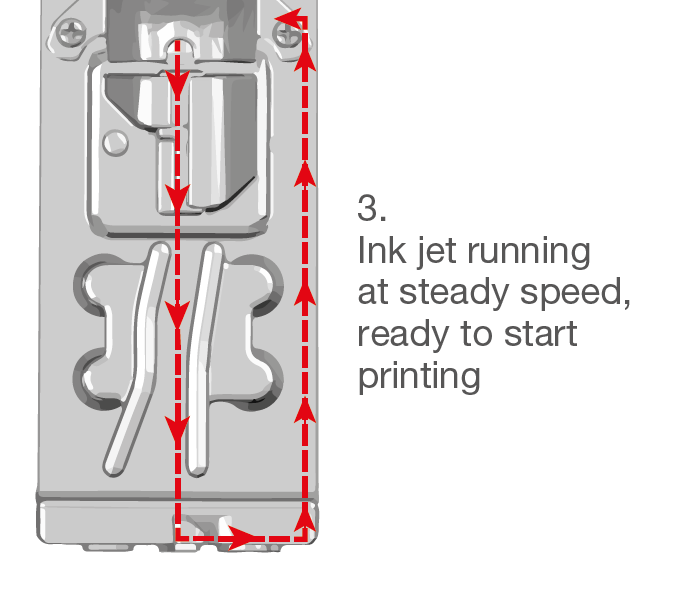
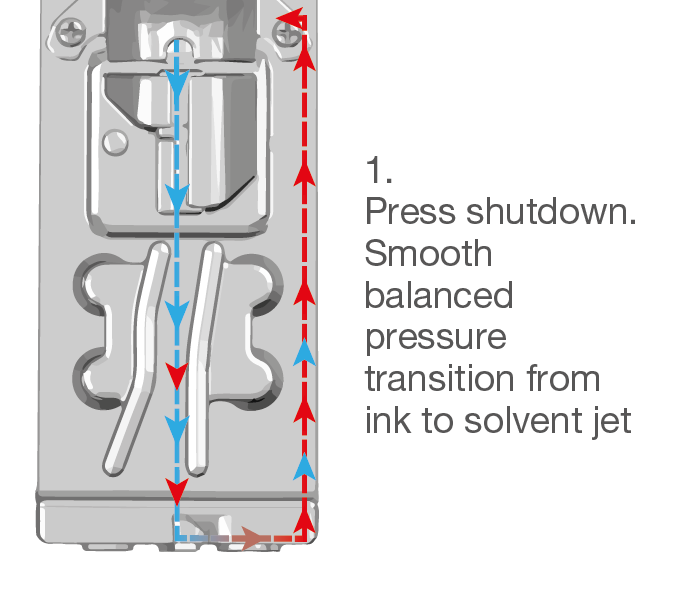
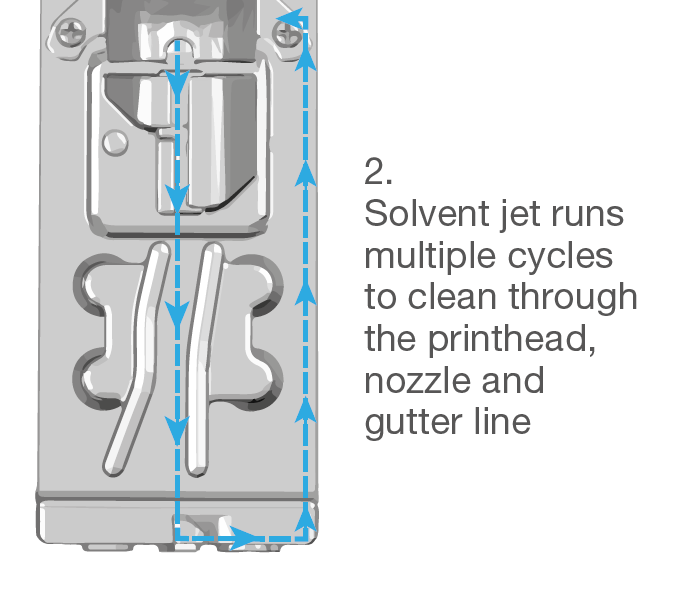
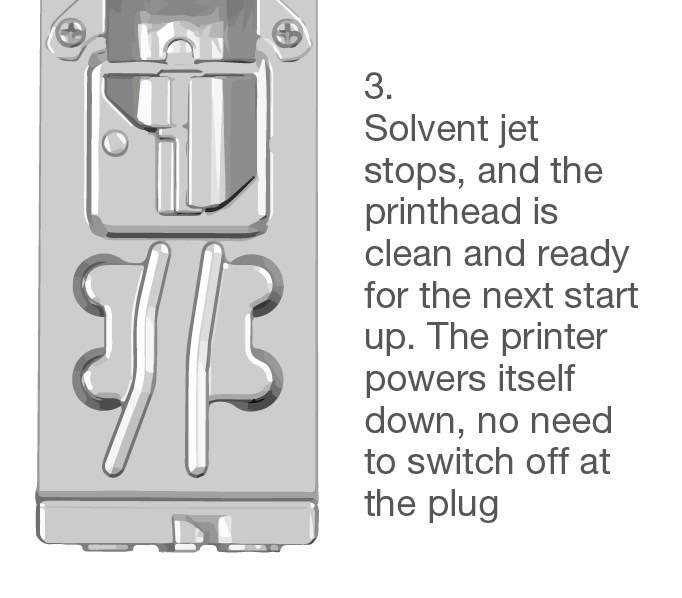
This diagram illustrates the AutoFlush process in a printer, where the printhead transitions from ink to solvent jet to clean and balance the printhead before restarting.
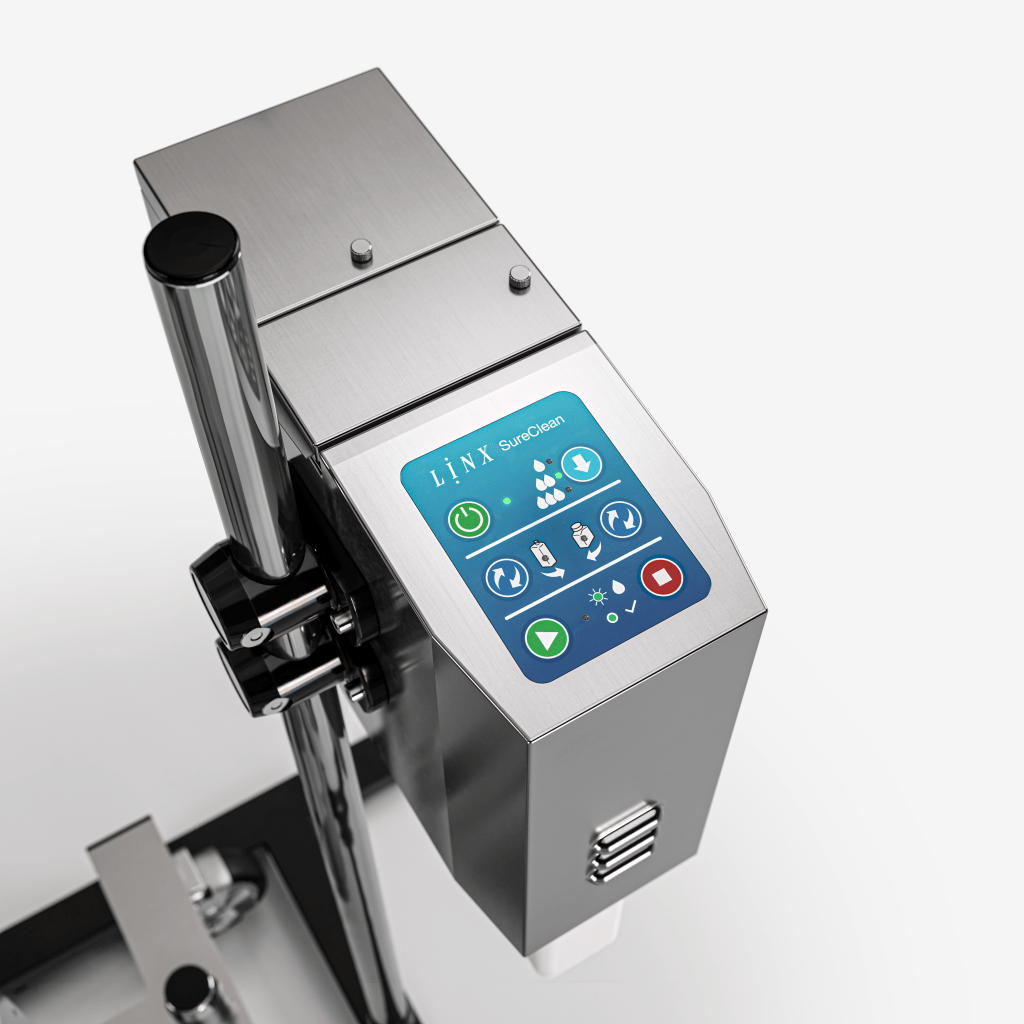
SureClean: Fast, automated deep-cleaning
When more extensive cleaning is required, the optional Linx SureClean automatic wash station thoroughly cleans the printhead using precisely positioned wash jets, followed by automatic drying. The complete cleaning cycle takes less than five minutes, helping maintain printhead condition while reducing maintenance effort.
Customisable cleaning reminders
Stay ahead of maintenance requirements – configure cleaning reminders to align with planned production breaks, helping operators perform maintenance proactively.
- Maintenance is completed at convenient times
- Reduced risk of unexpected interruptions
- Consistent printer performance
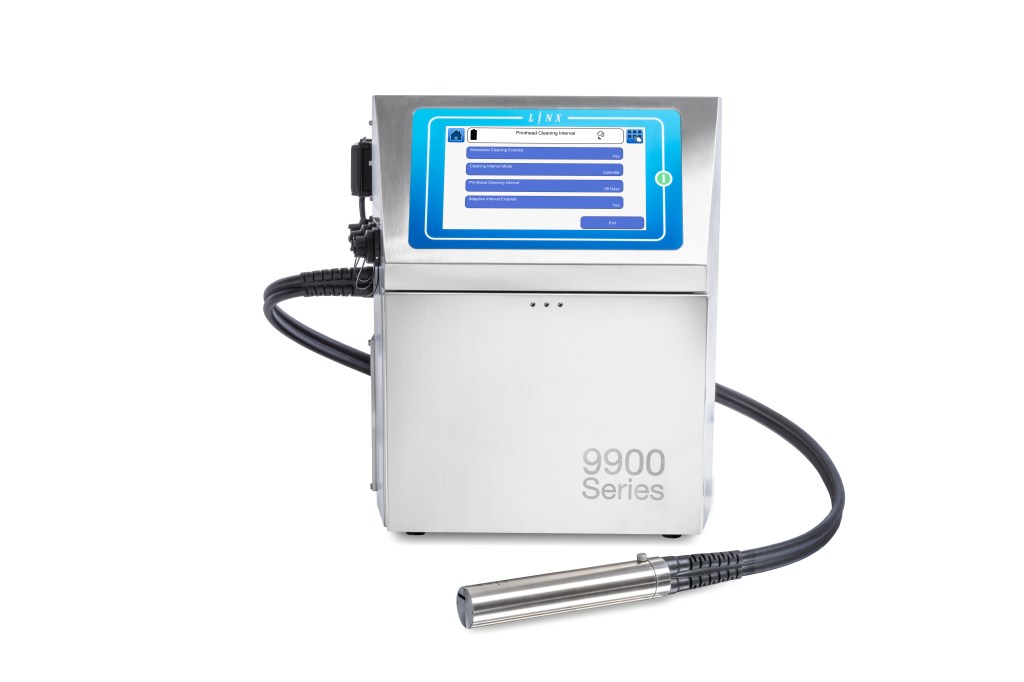
Protection if power is interrupted
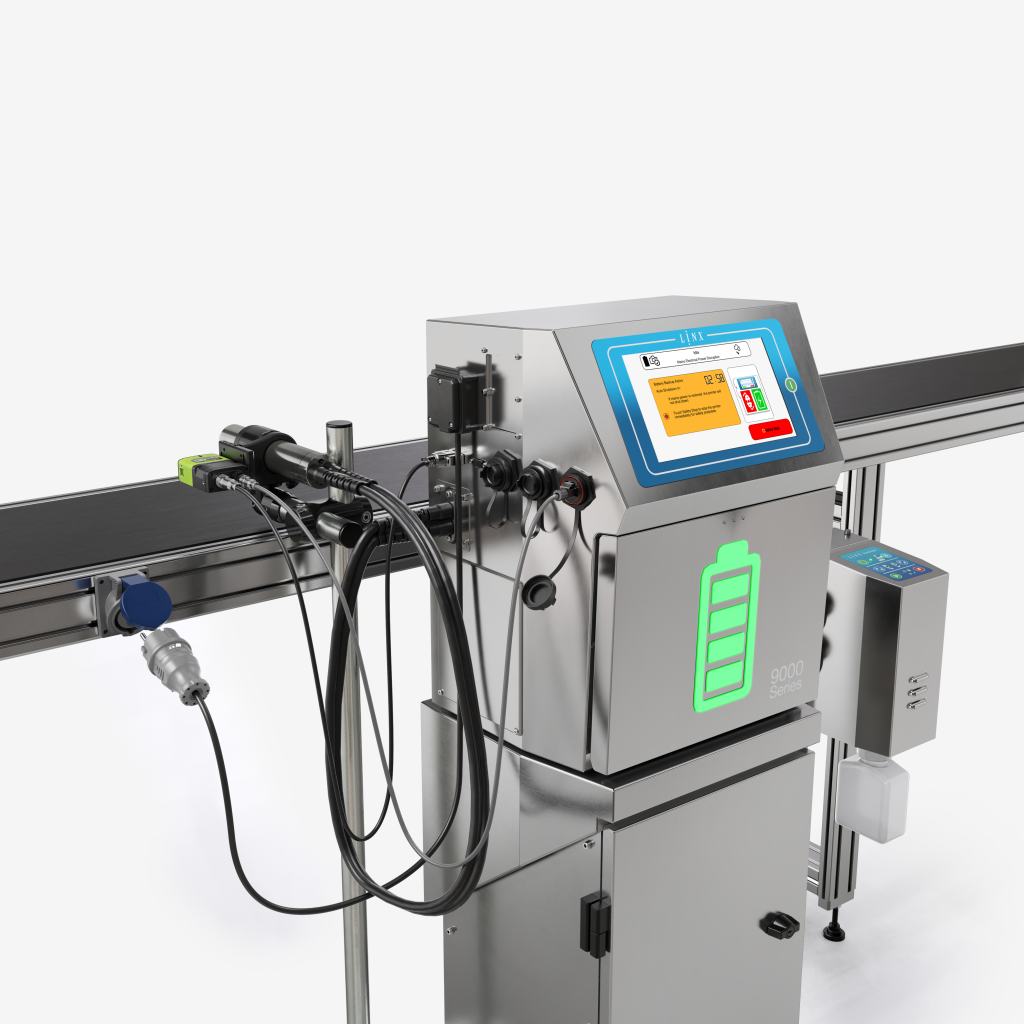
Power interruptions and pulled plugs can cause more than a temporary pause. They can lead to additional downtime and delayed restarts caused by blocked printheads if the printer cannot complete a proper shutdown. The Linx PrintProtect battery backup helps avoid this. If power is suddenly lost, printing can continue for up to three minutes. If power is not restored, the printer runs a full shutdown routine to help prevent blocked nozzles.
That means a short interruption does not become a longer production problem.
Robust printhead design
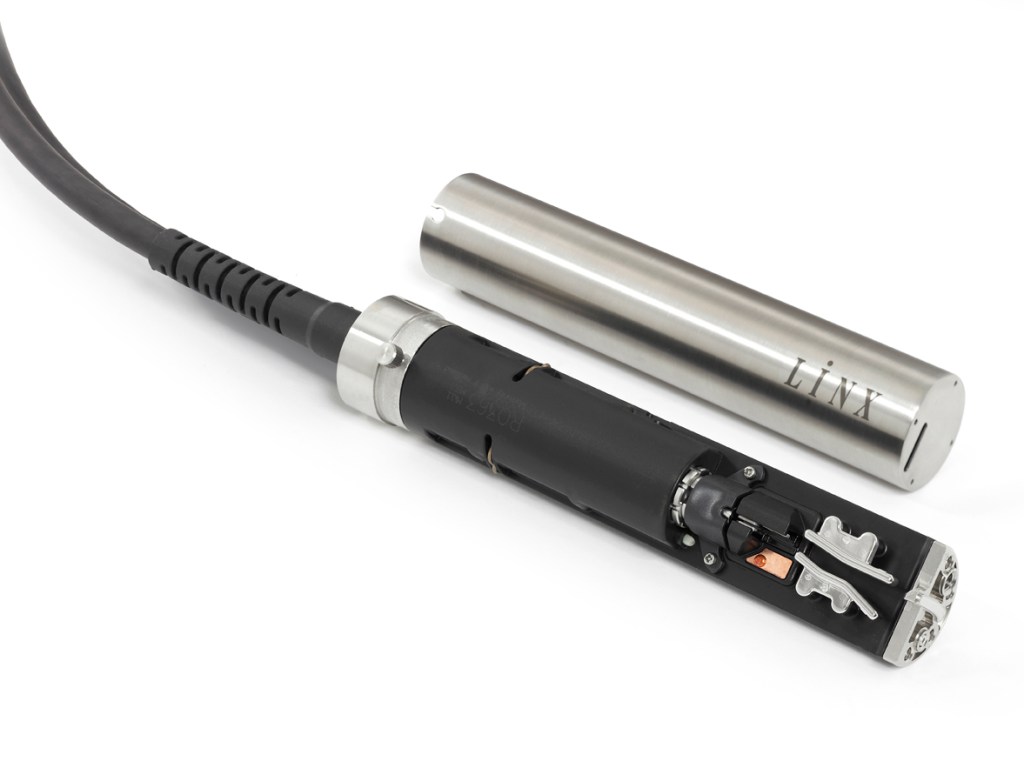
The Linx 9000 Series printhead is designed for demanding production environments. Sealed critical components help protect against liquids and harsh conditions, while a robust cover tube provides added impact protection. Maintenance-free internal parts and curved plates are designed to reduce charge concentration and ink build-up
Together, these features help reduce the likelihood of printer problems interrupting production.
2. Speeding up changeovers
Even planned stops can reduce productivity if they take longer than needed. Product changeovers often require message changes, line setting adjustments and printer repositioning – all opportunities for delay or error.
The Linx 9000 Series includes features designed to make changeovers faster, simpler and more repeatable.
Fast message changes with QuickSwitch
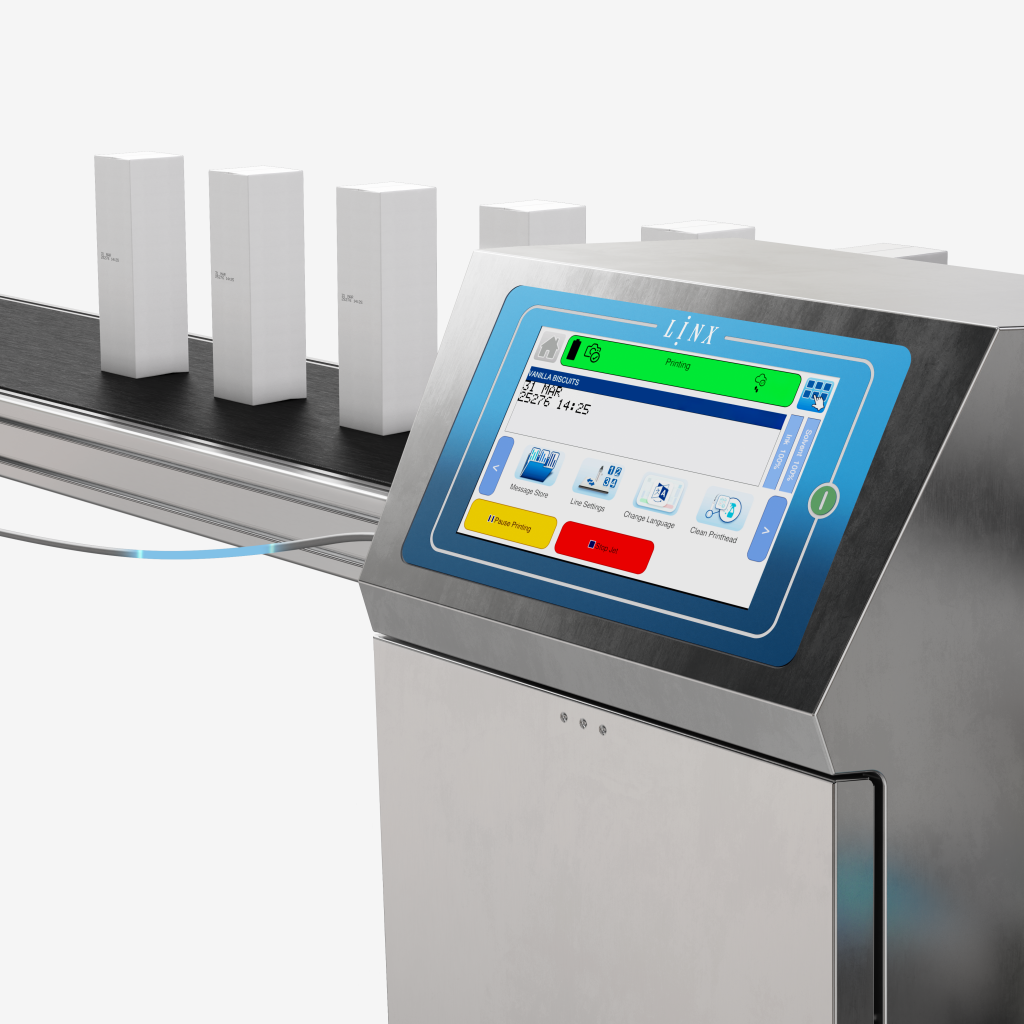
Linx QuickSwitch allows messages to be changed in real time from external production devices or a barcode scanner. This supports fast changeovers and helps reduce the risk of selecting or entering the wrong message.
For production teams managing frequent product changes, this can help remove a common source of lost time.
Stored line settings
With stored line settings, users can save up to 50 previously used line settings for quick and efficient changeovers. This reduces the need to manually reconfigure the printer each time a job changes, helping teams get back to production faster.
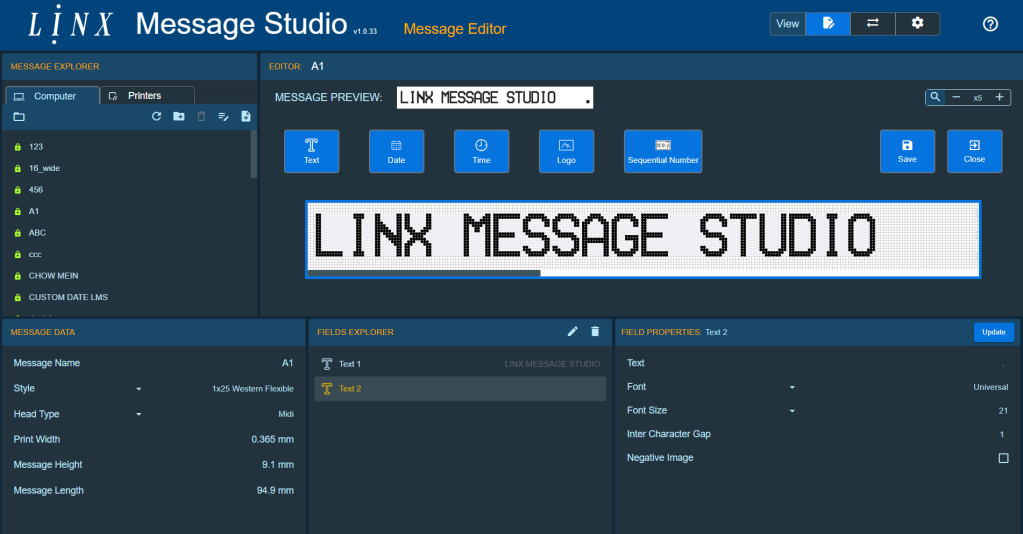
Message Studio for PC-based control
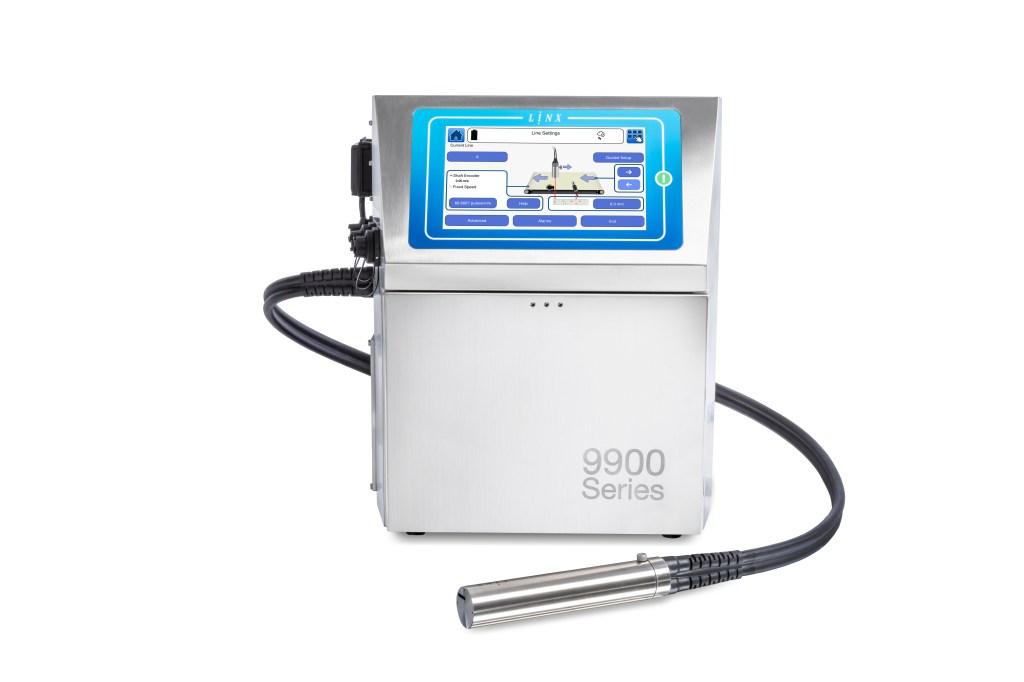
Linx Message Studio allows users to create and edit messages in seconds from a PC, then send them to the printer over the network or using a USB drive.
This is particularly useful where message creation needs to happen away from the line, or where production managers want a more controlled process for creating and managing production codes.
Product picture selection
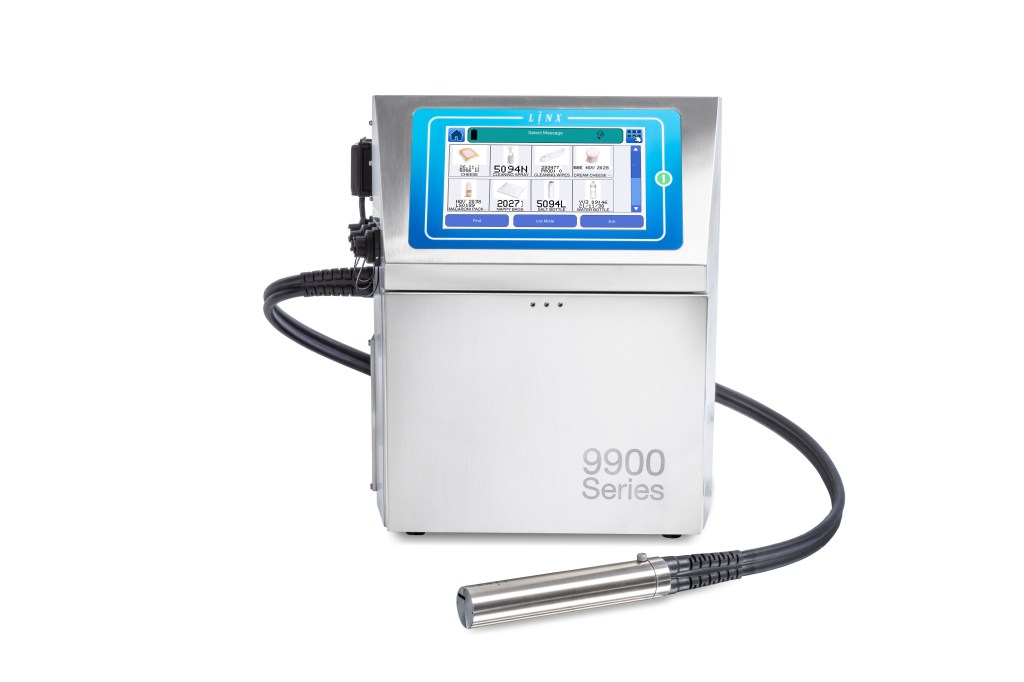
To support mistake-proof operation, the Linx 9000 Series also offers product picture select. Operators can select the correct product using an identifiable product photo, rather than relying on memory or manually searching through code names.
This helps make the correct choice clearer and reduces the chance of avoidable coding mistakes during changeover.
Battery-powered line moves
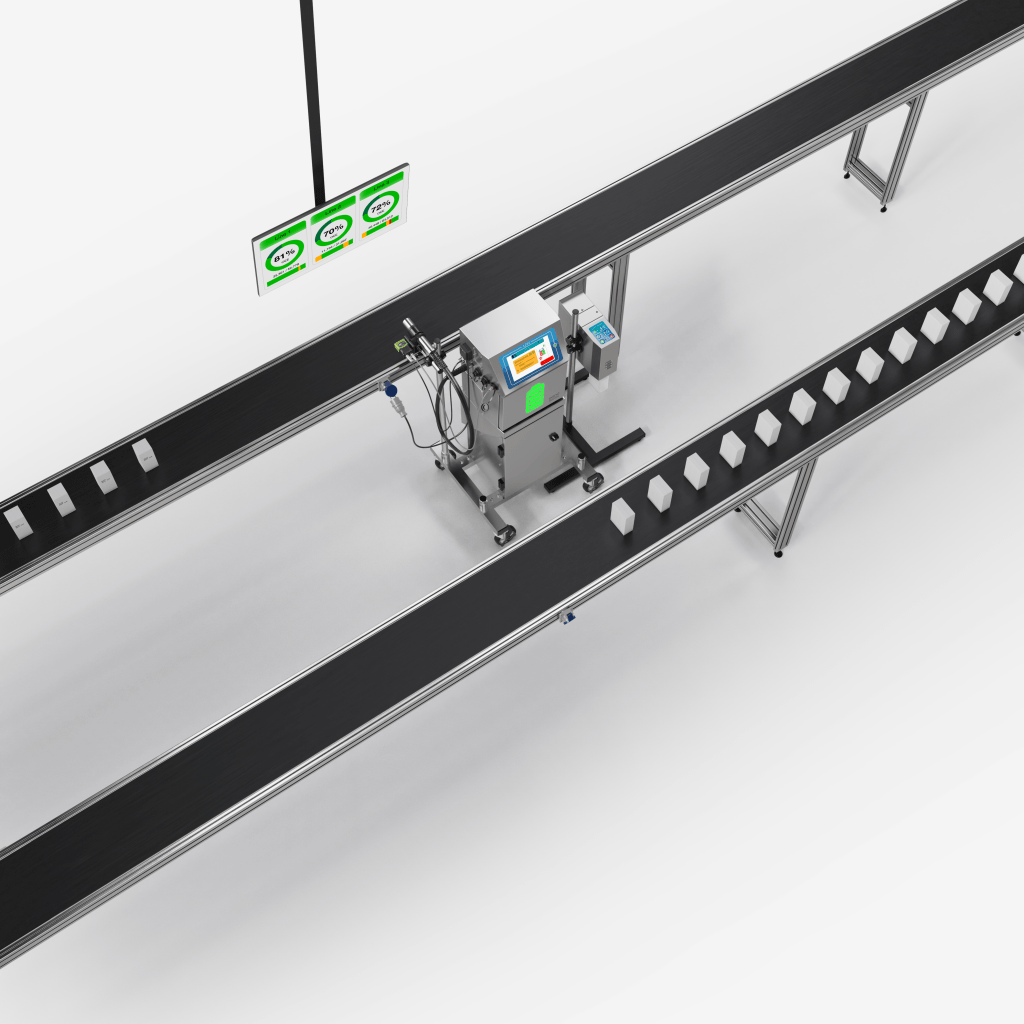
When a printer needs to be moved between lines, shutdown and restart time can delay production. With Linx PrintProtect for line moves, operators get up to nine minutes to move the printer while the jet continues running on battery power, allowing printing to start again immediately.
For flexible production environments, this can make printer relocation faster and less disruptive.
3. Avoiding rework and rejects
Lost production time does not only happen when a line stops. It can also happen later, when incorrect, missing or poor-quality codes are discovered and products need to be checked, reworked or rejected.
The Linx 9000 Series helps reduce this risk through integrated inspection and mistake-proof message creation.
Integrated vision inspection
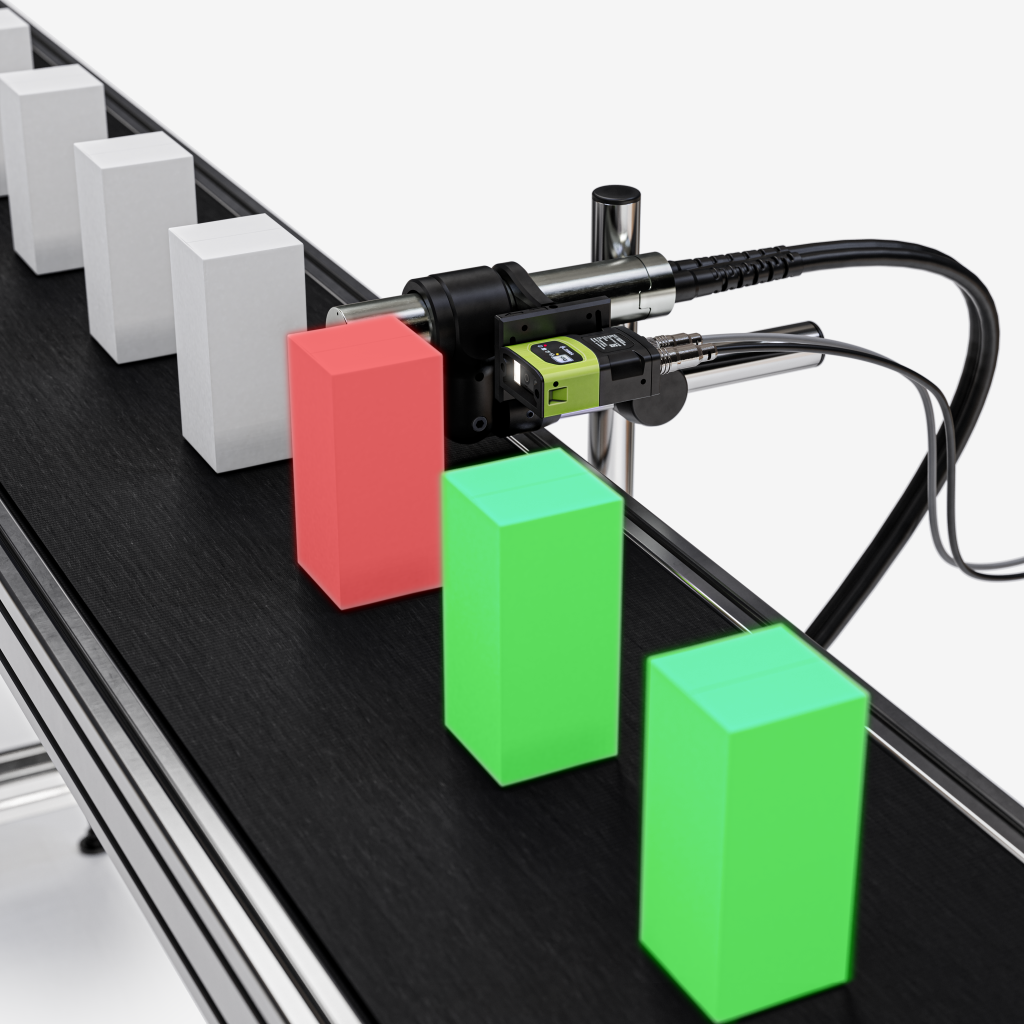
The optional Linx Iris vision system automatically checks code presence, accuracy and position, eliminating the need for manual inspection. If a code is missing or incorrect, the printer can alert operators or stop the production line.
Linx Iris detects issues such as missing codes, invalid dates, incorrect positioning, truncated text and distorted characters. It also supports code quality inspection, helping ensure products meet required standards while reducing waste, rework and traceability risks.
Mistake-proof GS1 code creation
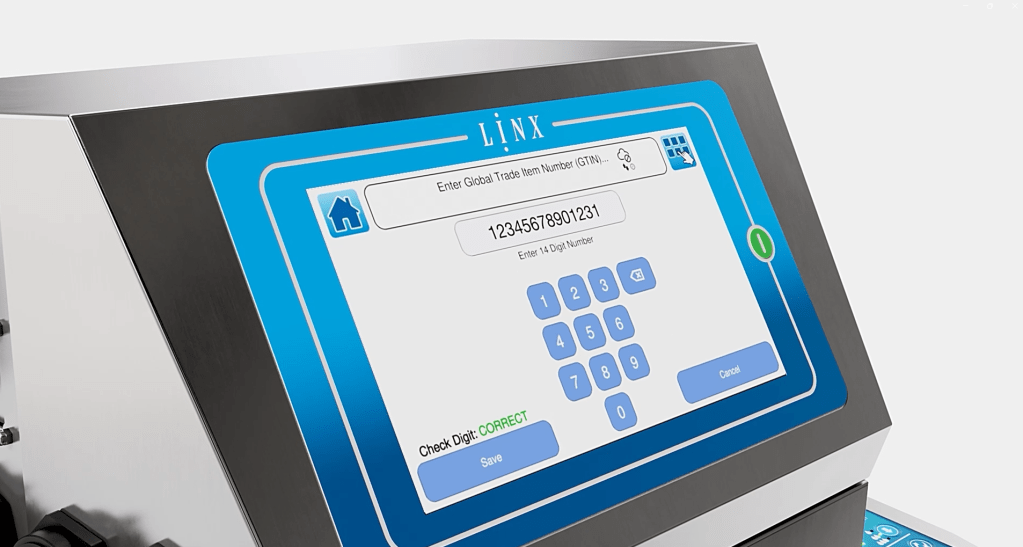
For manufacturers using GS1 Data Matrix codes, the Linx 9000 Series includes a GS1 Data Matrix code builder. This is a mistake-proof, step-by-step tool on the printer interface to help create error-free GS1-compliant Data Matrix codes.
This helps reduce the risk of incorrectly built codes causing production disruption, rework or compliance issues.
Prompted text fields
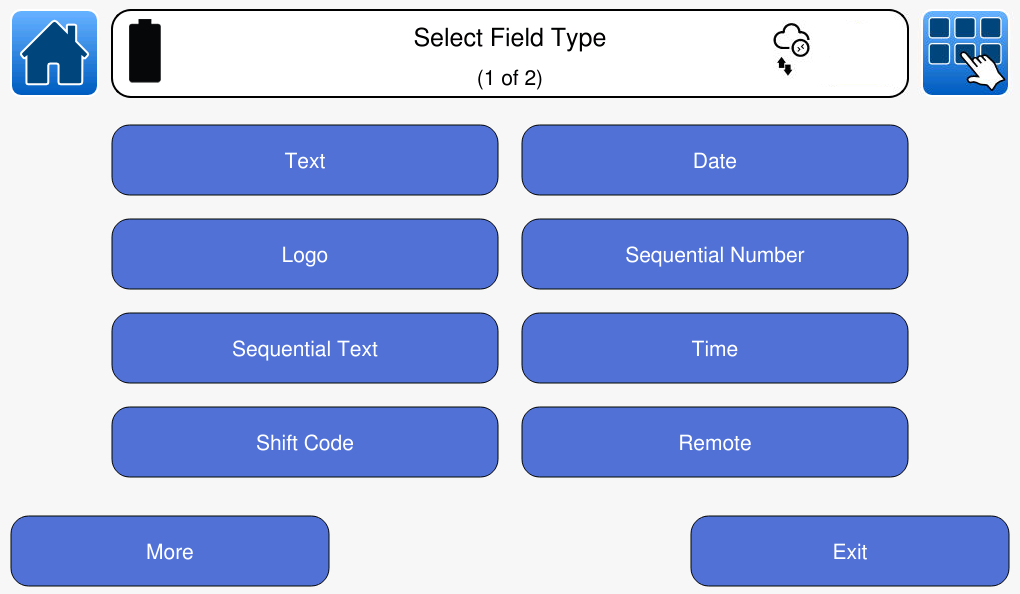
The printer also uses prompted text fields to help ensure message data is entered correctly. Users can set minimum and maximum character limits and restrict date ranges for standard message elements such as batch codes or dates.
By guiding operators through the correct inputs, the printer helps reduce manual entry errors that could later lead to rework or rejected product.
4. Reducing maintenance disruption
Maintenance is essential, but it should not create unnecessary downtime. The Linx 9000 Series is designed to help production managers plan maintenance more effectively, complete routine tasks more easily and avoid avoidable interruptions.
Fast, flexible servicing
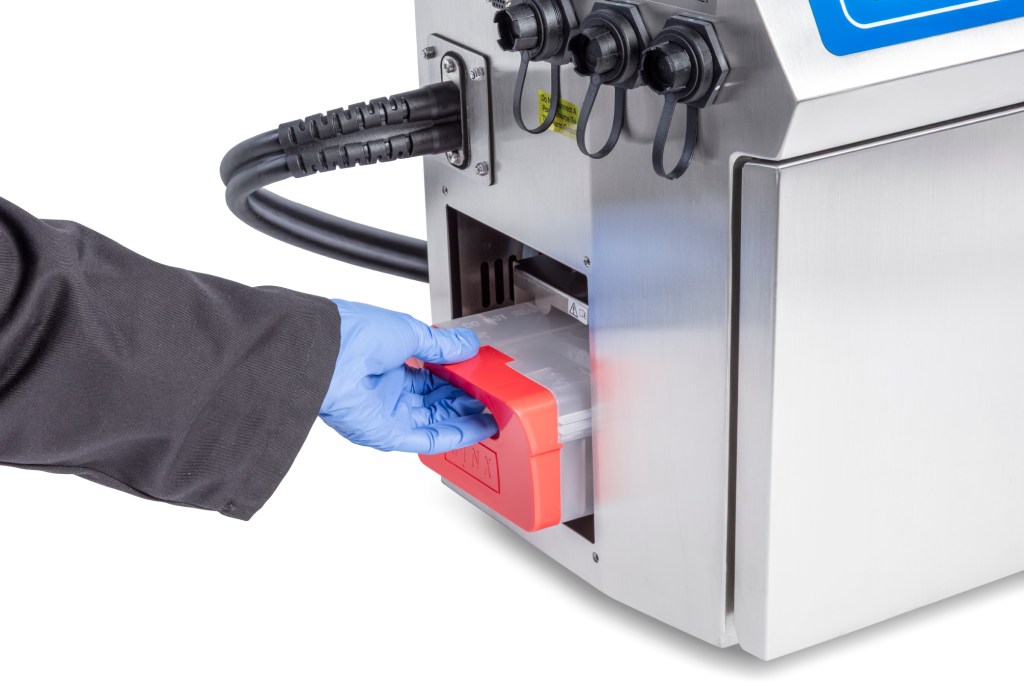
The EasiChange service module allows the Linx 9000 Series to be serviced in 30 minutes, with only 0.5 litres of ink changed. Servicing can be completed during an engineer visit or through self-service, helping production managers fit maintenance around their production schedule.
There’s also up to 24 months between services, helping keep scheduled maintenance to a minimum
Guided maintenance
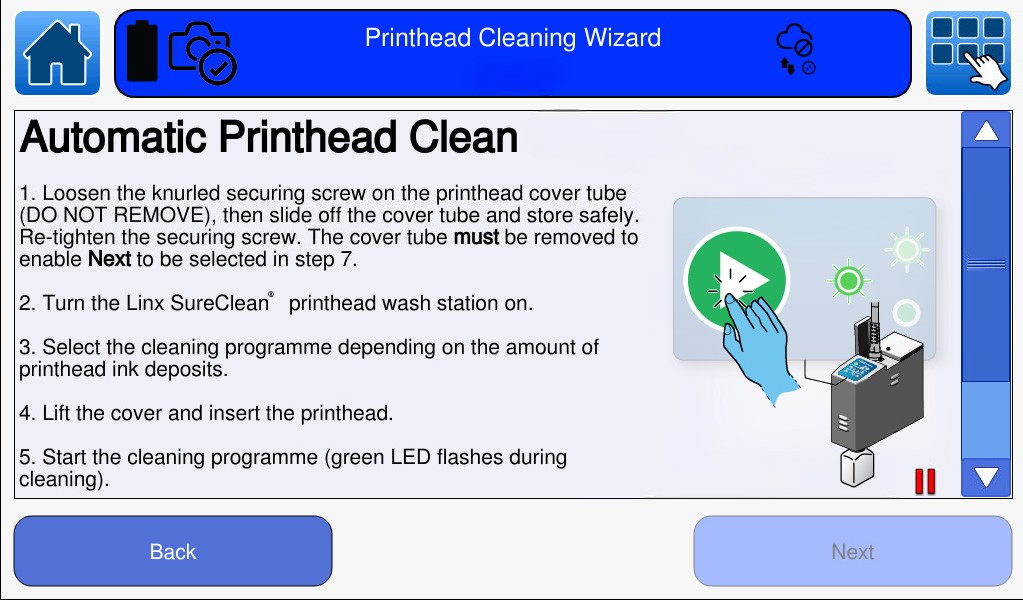
Routine maintenance does not need to depend on specialist knowledge. The Linx 9000 Series includes on-screen guided maintenance wizards, allowing operators to follow instructions and diagrams directly on the printer screen.
This helps operators complete routine tasks with confidence and reduces the chance of delays caused by uncertainty or lack of training.
Early fluid warnings
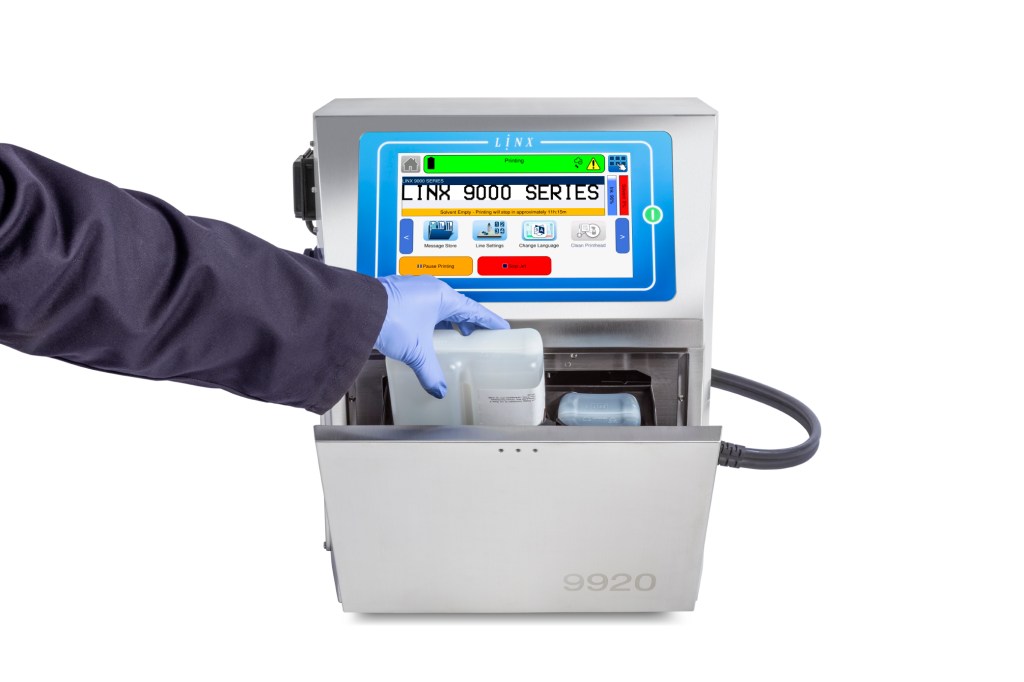
Running out of ink or solvent can stop production unexpectedly. The Linx 9000 Series continuously monitors ink and solvent levels and provides a warning up to 12 hours before the fluid runs out, with a live countdown of remaining printing duration.
Refills can also be completed at any time without interrupting printing.
This gives production teams more control, allowing refills to be planned around the line rather than forcing a stop at the wrong moment.
Remote monitoring with PrinterNet
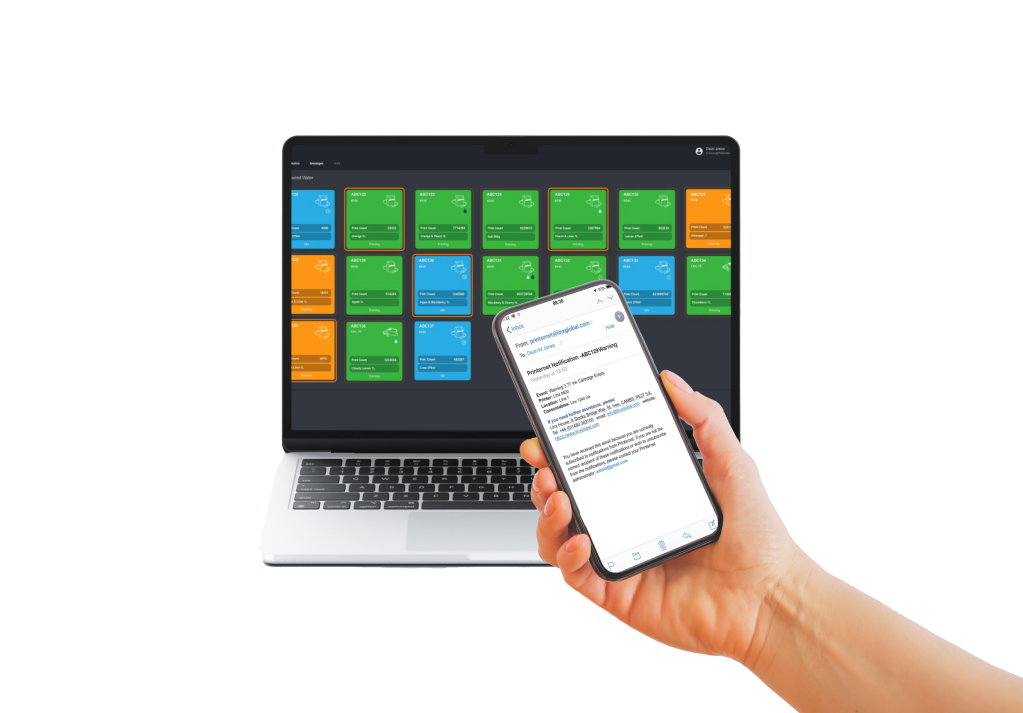
Linx PrinterNet allows users to check print job status and production insights remotely from a PC, tablet or smartphone. It can also provide real-time email notifications for printer errors or low fluid levels.
By making printer status more visible, PrinterNet helps teams respond earlier, plan more efficiently and reduce the chance of small issues becoming production interruptions.
Making printing one less thing to worry about
The Linx 9000 Series is designed to help production teams stay focused on what matters most: keeping production running.
With fewer unexpected interruptions, more controlled changeovers and confidence that every product is coded correctly, production managers can spend less time troubleshooting and more time meeting production targets.
With the Linx 9000 Series, printing becomes one less thing to worry about.