
Struggling with Smudged Printing on Films and Foils? Here’s the Solution
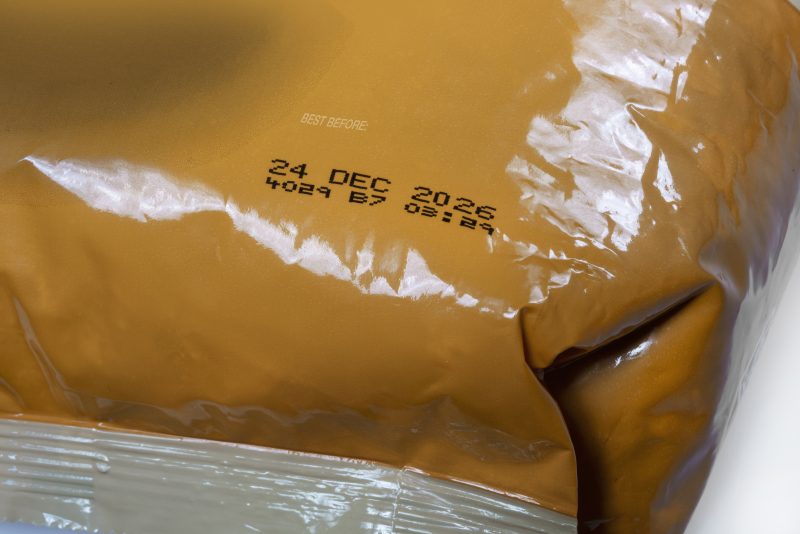
A clear code on flexible packaging can quickly become a smudged, faded or unreadable one if the printer, ribbon or ink isn’t suited to the material.
Films and foils can stretch, move and react differently during production, making them more challenging to code than many rigid surfaces.
So, if your date codes or batch numbers are smudging, what’s causing it—and how can you fix it?
Why does printing smudge on films and foils?
There isn’t one single cause.
Poor print quality on flexible packaging can come from the packaging material, coding technology, production speed or even the way the film moves through the packaging machine.
Common causes include:
- Ink or ribbon that isn’t compatible with the film
- Poor adhesion to glossy or coated surfaces
- Incorrect printer settings
- Film movement, wrinkling or slipping
- Printing at unsuitable production speeds
- Incorrect printhead setup
- Heat-sensitive packaging
- Code position
The first step is therefore to understand where the problem is coming from, rather than simply adjusting the printer.
Check your packaging material first
Not all flexible packaging behaves in the same way.
Plastic films, laminated films, foils, pouches, flow wraps and lidding films can have very different surface properties.
A code that works perfectly on one film may not perform in the same way on another.
Before choosing a coding solution, consider:
- What material are you printing on?
- Is it coated, laminated or glossy?
- Does the film move continuously or intermittently?
- Will the finished code be exposed to heat, cold, grease or rubbing?
Testing the printer and consumables on your actual production material is one of the simplest ways to avoid print-quality problems later.
TTO, CIJ or laser: which is best for films and foils?
There’s no single technology that’s right for every flexible packaging line.
Thermal Transfer Overprinting (TTO)
TTO is particularly well suited to printing high-resolution information directly onto flexible films and foils.
A heated printhead transfers ink from a ribbon onto the packaging material. The result is a sharp code that is dry immediately, with no liquid ink drying time.
TTO can be used for:
- Best-before and use-by dates
- Batch and lot numbers
- Barcodes
- QR and Data Matrix codes
- Ingredients
- Allergen information
- Logos and graphics
It can also be integrated with VFFS, HFFS and flow-wrap packaging machinery.
For many flexible packaging applications, TTO should be one of the first technologies you consider.
Explore Linx Thermal Transfer Overprinters
Continuous Inkjet (CIJ)
CIJ is a versatile, non-contact option that uses fast-drying inks to apply variable codes.
It can be useful when the packaging application or production setup makes non-contact printing preferable.
The correct ink is particularly important. Adhesion and durability will depend on the film, coating and conditions the finished pack experiences.
Explore Linx Continuous Inkjet Printers
Laser coding
Laser coding can create permanent marks on compatible packaging without using ink or ribbon.
However, flexible packaging varies significantly in composition, coatings and sensitivity to heat, so the laser and substrate must be carefully matched.
Testing is essential before specifying a laser solution for films or foils.
Explore Linx Laser Coding Systems
Why TTO can help prevent smudged codes
One of TTO’s biggest advantages on flexible packaging is that it is a dry printing process.
There is no liquid ink waiting to dry.
When the correct ribbon is matched to the packaging material, TTO can produce sharp, high-resolution codes that are dry immediately.
This makes it particularly useful for packaging lines where clear dates, batch numbers, barcodes or 2D codes are important.
But ribbon selection still matters.
Different films and operating conditions can require different ribbon formulations. The code should be tested against the handling, sealing, storage and distribution conditions the finished pack will experience.
Don’t forget production speed
Sometimes the packaging isn’t the problem.
The coding system may simply not be correctly matched to the way your packaging line operates.
At higher speeds, poor setup can lead to:
- Incomplete prints
- Misaligned codes
- Reduced clarity
- Inconsistent positioning
When choosing a printer, don’t look at maximum print speed alone.
Consider the packaging machine’s movement, packs per minute, print area, message size and the time available to complete each print.
A printer that works well with the actual movement of your packaging line is more important than the biggest speed number on a specification sheet.
How to stop codes smudging on flexible packaging
If you’re experiencing poor print quality, work through these five checks:
1. Check the substrate
Identify exactly what film, foil or laminate you’re printing on.
2. Check the ink or ribbon
Make sure the consumable is suitable for the packaging surface and the conditions the finished pack will experience.
3. Check the printer setup
Review printhead position, pressure, temperature and other relevant settings for your coding technology.
4. Check the production line
Look for film movement, wrinkles, vibration or speed changes that could affect print quality.
5. Test before changing packaging
If you’re introducing a new film, foil or supplier, test the coding application before full production starts.
A small packaging change can make a big difference to print performance.
What’s the best printer for flexible packaging?
It depends on your application.
For flexible films, foils, pouches and flow wraps, TTO is often a strong option because it produces sharp, instantly dry codes and integrates with common flexible packaging machinery.
CIJ may be preferable where a versatile non-contact printing solution is needed, while laser can provide permanent coding on compatible materials.
The best way to choose is to test the technology using your actual packaging, code and production requirements.
Get a clear code on your packaging
Smudged printing doesn’t necessarily mean there’s something wrong with your packaging—or your printer.
Often, the issue is simply that the substrate, consumable, printer settings and production conditions aren’t properly matched.
Linx offers TTO, CIJ and laser coding solutions for flexible packaging applications, including films, foils, pouches, labels and flow wraps.
Not sure which will work on your packaging?
Send us a sample of your film or foil and we’ll help you find the right coding solution.
Take Actions Now:
- Request a Print Sample to see the solution in action
- Download Product Brochure for detailed specifications
- Talk to an Expert to find the right coding solution for your retail operations